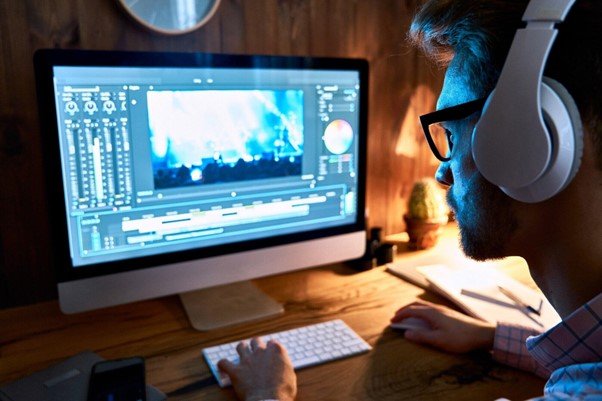
Editing videos is important for anyone who wants to share content online. Social media works best with short and clear videos. Long or messy clips often lose attention fast.
Learning how to trim and adjust videos makes content easier to watch. It also helps highlight the best parts of your message. Simple edits can make a big difference in how people see your work.
Follow the tips below to see how trimming and adjusting videos can improve your social media posts.
Understanding the Basics of Video Trimming
Video trimming involves removing sections that are not needed. It allows you to shorten clips without changing the quality. Trimming helps focus on the main message rather than distracting parts.
Even a few seconds cut off can make a big difference in keeping viewers engaged. Most platforms favor shorter videos since users have limited attention. Understanding this process helps create clips that are more appealing.
Why Adjusting Videos Matters
Adjusting videos means making small changes to improve presentation. This can include resizing, rotating, or straightening the clip. Such adjustments help make the video look polished.
For social media, appearance is important because viewers judge quickly. Poorly adjusted clips may distract from the message. A small tilt or wrong frame size can make a video look unprofessional.
Adjusting before posting ensures better results. These edits are quick and can be done by anyone. Consistent adjustments also help create a recognizable style for your content.
Keeping Videos Short and Engaging
Social media platforms reward shorter content. Viewers often scroll fast, so long clips can be skipped. Trimming videos helps cut out slow or boring parts. It ensures every second keeps the viewer’s attention. Shorter videos are also easier to share.
A clear beginning and ending make the video stronger. Engaging clips also tend to get more likes and shares. The goal is not just to shorten but to keep interest. Always review your edits to confirm the flow is smooth.
Choosing the Right Aspect Ratio
Different platforms use different video sizes. This makes aspect ratio an important part of adjustments. A video may look fine in one format but cut off in another.
Choosing the right ratio ensures nothing important is lost. It also prevents blank spaces on the screen. Adjusting for each platform helps the video appear more professional.
For example, vertical works best on some apps, while horizontal is better for others. Keeping this in mind avoids mistakes when uploading. Correct ratio gives your video a balanced and complete look.
Cutting Out Background Distractions
Sometimes videos have extra details that distract viewers. These could be random movements, noises, or objects. Trimming helps remove those sections. It keeps the focus on the main subject. A clean video is more enjoyable to watch.
Adjusting frames also removes anything that should not be shown. Simple cuts can make a big improvement in quality. Even minor distractions can lower the impact of a video. Keeping the background clear ensures viewers stay interested in the content.
Highlighting Key Moments
Videos often have a few parts that matter most. Trimming helps isolate these important moments. Sharing only highlights makes videos stronger. People are more likely to remember clips that focus on a single idea.
Adjusting cuts allows smooth transitions between key parts. This helps create a clean flow for the viewer. Highlights also encourage viewers to rewatch the video. If every second has value, the impact is greater. Use trimming to make every part count without wasting time.
Preparing Videos for Different Platforms
Not all platforms are the same. Some require shorter clips, while others allow longer videos. Aspect ratios also vary depending on where you post. Adjusting ensures the video fits each platform’s needs.
Trimming helps keep within time limits set by certain apps. Preparing ahead saves time and avoids errors when uploading. This also helps your video look professional across different spaces.
Good preparation makes your content more shareable. Always test before posting to ensure it displays properly.
Enhancing Visual Appeal
Trimming and adjusting is not just about cutting. It can also improve the look of the video. Adjusting brightness, framing, or orientation makes clips more attractive. A video that looks good is more likely to get attention.
Social media is competitive, so presentation matters. Even simple edits can make a video stand out. Good visuals also support your message better. By trimming unnecessary parts, you highlight the main scene. Adjustments keep everything balanced and clean.
Removing Dead Space in Clips
Dead space refers to long pauses or parts with no action. These sections often make videos less interesting. Trimming removes this wasted time. Adjustments help tighten the pacing of the clip. Removing dead space keeps the video focused.
Viewers prefer content that gets straight to the point. This is important for social media where attention is short. Even a few seconds of dead space can lower performance. Clean videos always perform better than unedited ones.
Ensuring Clear Framing
Framing is about placing the subject in the right spot. Sometimes videos include too much empty space. Adjusting the frame brings attention back to the subject. Trimming out sides or edges can also improve focus.
A clear frame makes the video look better. Proper framing avoids cutting off important details. It also keeps the subject at the center of attention. Videos with good framing are more professional. To fix this, you can crop a video to fit the scene better.
Saving Time with Quick Edits
Trimming and adjusting videos does not have to be time-consuming. Quick edits can be done in just a few minutes. The more you practice, the faster you become. Short edits can improve a video greatly without much work.
Time-saving techniques are helpful for frequent content creators. Trimming shortens videos without heavy editing tools. Adjustments improve quality without needing advanced skills. A simple routine helps keep your content fresh. Fast edits also mean you can post more often.
Learn How to Trim and Adjust Videos
Trimming and adjusting videos makes them easier to watch and more professional. Short edits keep viewers interested while adjustments improve the look. Removing extra parts and fixing the frame makes the video clear.
Highlighting important moments makes content stronger. Smooth transitions and consistent style help your videos perform better.
Quick edits save time and make sharing easier. With these tips, your videos will be ready for social media and more engaging for viewers.
Should you wish to explore other topics, visit our blog page. We’ve got more!