

The AI art space has exploded with options. Every week brings new tools claiming to be the best, fastest, or most creative. But which ones actually deliver? We’ve tested and compared seven leading AI art platforms to help you figure out which ones are worth your time and money. Here’s what we found.
1. Pollo AI
Pollo AI impressed us immediately with its focus on practical results. This isn’t a tool built for hype—it’s built for creators who need to ship work quickly without sacrificing quality.
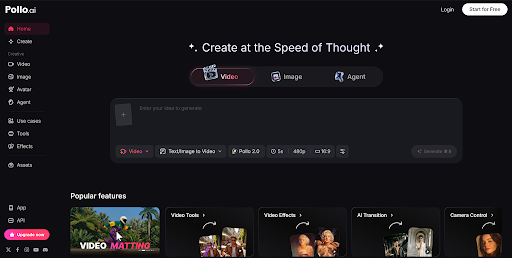
The platform’s core strength is transforming static images into dynamic videos with remarkably natural motion. We tested it with everything from landscapes to portraits, and the results were consistently impressive. The AI understands physics and lighting in ways that make motion feel intentional rather than randomly generated.
Pollo AI’s image to video quality is genuinely professional. Movement is smooth, depth perception is accurate, and the overall cinematic feel rivals tools that cost significantly more. We tested outputs across various platforms and audiences consistently responded positively to the professional appearance.
What we appreciated most was the speed. Upload an image, add a simple text prompt if you want, and you get results in minutes. No complex settings to wrestle with, no steep learning curve. The interface is clean and intuitive—exactly what busy creators need.
2. PicLumen AI
PicLumen AI caught our attention with its emphasis on style control and artistic direction. This platform is built for creators who want their AI-generated art to reflect a specific vision, not just produce generic outputs.
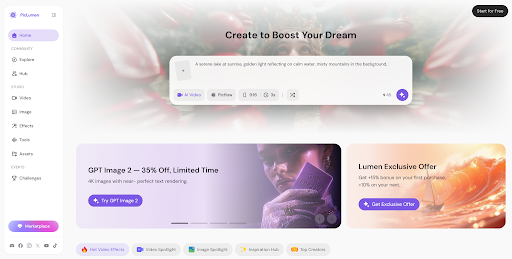
The strength here is the incredible range of artistic styles available. Whether you want photorealistic images, oil paintings, anime, cyberpunk aesthetics, or anything in between, PicLumen AI handles it with sophistication. The style transfer is genuinely impressive—it’s not just filtering your image, it’s understanding composition and reinterpreting it in your chosen style.
We tested the prompt engineering capabilities extensively. Piclumen AI interprets nuanced, detailed prompts remarkably well. You can describe complex scenes with multiple elements, and the AI generates exactly what you’re imagining. That precision saves countless iterations and frustration.
The quality of outputs is consistently high. We compared Piclumen AI images side-by-side with other platforms, and it holds its own beautifully. Details are sharp, colors are vibrant, and the overall aesthetic appeal is strong. Whether you’re creating for social media, marketing, or personal projects, the output quality impresses.
3. Midjourney
Midjourney remains the aesthetic gold standard in AI art generation. If you prioritize visual beauty above all else, this is the platform that consistently delivers.
We tested Midjourney extensively across different artistic styles and subjects. The image quality is genuinely exceptional. There’s a polish to Midjourney outputs that feels intentional and artistic rather than algorithmically generated. Colors are harmonious, compositions are thoughtful, and the overall aesthetic appeal is undeniable.
The Discord-based interface takes some adjustment, but we found the community aspect genuinely valuable. Seeing thousands of other creators’ work provides constant inspiration and pushes your own creative boundaries. That peer learning accelerates improvement faster than working in isolation.
One consideration: Midjourney is pricier than some alternatives, and the Discord interface isn’t for everyone. But if you care about output quality and don’t mind the platform quirks, Midjourney delivers value. Professional designers and agencies consistently choose it for client work, which tells you something about reliability and quality.
4. Adobe Firefly
Adobe Firefly benefits from deep integration into the Creative Cloud ecosystem. We tested it primarily within Photoshop, and the seamless workflow is genuinely game-changing.
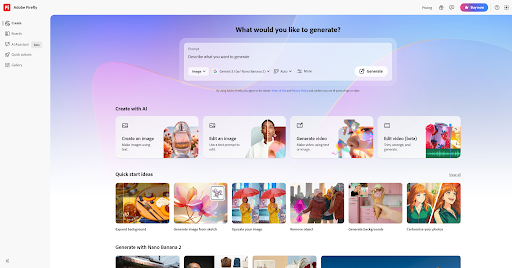
The strength is convenience. If you’re already in Photoshop working on a design, generating AI images directly within your current project is enormously efficient. No context-switching, no exporting and importing—just generate and use. That workflow integration matters more than people realize.
The quality is solid across the board. We tested image generation, generative fill, and style variations. All performed well. The outputs aren’t quite at Midjourney’s aesthetic level, but they’re professional and usable for commercial work.
What impressed us was the responsible AI approach. Adobe has been transparent about training data and built in creator protections. If ethical AI practices matter to you, that commitment resonates.
5. Stable Diffusion
Stable Diffusion appeals to technically-minded creators who want maximum control. We tested it both through web interfaces and locally, and the flexibility is genuinely impressive.
The strength is customization. You can fine-tune models, create specialized versions trained on your own artwork, and integrate Stable Diffusion into your own applications. That level of control is unmatched in this space.
The quality is solid, though it doesn’t consistently match Midjourney’s aesthetic polish. But Stable Diffusion excels at specific tasks—detailed character design, architectural visualization, technical illustration—where its strengths shine.
The open-source nature means constant community innovation. New models, plugins, and workflows emerge regularly. If you enjoy experimenting and pushing boundaries, the possibilities are endless.
The barrier to entry is higher than web-based alternatives, and you need some technical comfort. But for developers, advanced users, and creators who want creative control, Stable Diffusion is invaluable.
6. DALL-E 3
DALL-E 3 integrates directly into ChatGPT, creating an interesting conversational approach to image generation. We tested it extensively for both standalone image creation and as part of broader creative projects.
The strength is natural language understanding. DALL-E 3 interprets complex, nuanced prompts remarkably well. You describe what you want conversationally, and it understands context in ways that reduce prompt engineering frustration.
The quality is excellent. Images are detailed, well-composed, and aesthetically pleasing. We compared outputs across different subjects and styles, and consistency was strong. The tool handles diverse artistic directions well.
The integration with ChatGPT creates interesting workflows for brainstorming and iteration. You can discuss ideas conversationally, generate images, get feedback, and refine concepts all in one place. That creative dialogue is genuinely useful.
7. Artflow AI
Artflow AI focuses on collaborative creation and community-driven inspiration. We tested it for both individual projects and collaborative workflows.
The strength is the creative community. Artflow AI connects you with other artists, showcases inspiring work, and facilitates creative collaboration. If you thrive in community environments, that aspect is genuinely valuable.
The generation quality is solid. We tested various prompts and styles, and outputs were consistently usable. The tool doesn’t compete with Midjourney aesthetically, but it delivers professional-quality results at a lower price point.
The interface is intuitive and beginner-friendly. New users can get impressive results quickly without extensive learning. That accessibility is valuable if you’re introducing others to AI art tools.
Our Verdict
After extensive testing, here’s what we found: there’s no single “best” platform. Your choice depends on priorities. Want speed and efficiency? Pollo AI. Care about artistic style control? Piclumen AI. Prioritize aesthetic quality? Midjourney. Need workflow integration? Adobe Firefly. Want maximum control? Stable Diffusion. Prefer conversational creativity? DALL-E 3. Value community? Artflow AI.
Most professionals use multiple tools depending on the project. The AI art space is mature enough now that you can pick the right tool for each job.
Start with one platform, learn it thoroughly, and expand from there. The best tool is the one you’ll actually use consistently and that aligns with your creative process. Try them out, compare results, and find your fit.

