
Short-form video has become part of almost every creative workflow. A product update needs a teaser. A podcast episode needs a clip for social media. A campaign idea often needs a visual draft before anyone commits to a full edit.
The difficult part is not always the final production. It is getting from a rough idea to something people can actually review. That is where Seedance 2.0 fits into the current shift in AI video tools. It gives creators a quicker way to test scenes, references, camera movement, and sound before a project becomes too heavy to change.
This is not about replacing creative judgement. It is about making the first version easier to see. When a draft appears on screen, it becomes much easier to decide whether the idea has the right pace, mood, and visual direction.
Why Creators Need Faster Video Drafts
Many teams now produce content for several platforms at once. A single idea may need a horizontal video, a vertical teaser, a product-focused clip, and a version that works as a short ad. Waiting until the final edit to test those directions can waste time.
A faster draft helps answer basic questions early. Does the scene make sense? Is the camera movement too busy? Does the subject stay clear? Does the clip feel suitable for a product story, social post, or campaign preview?
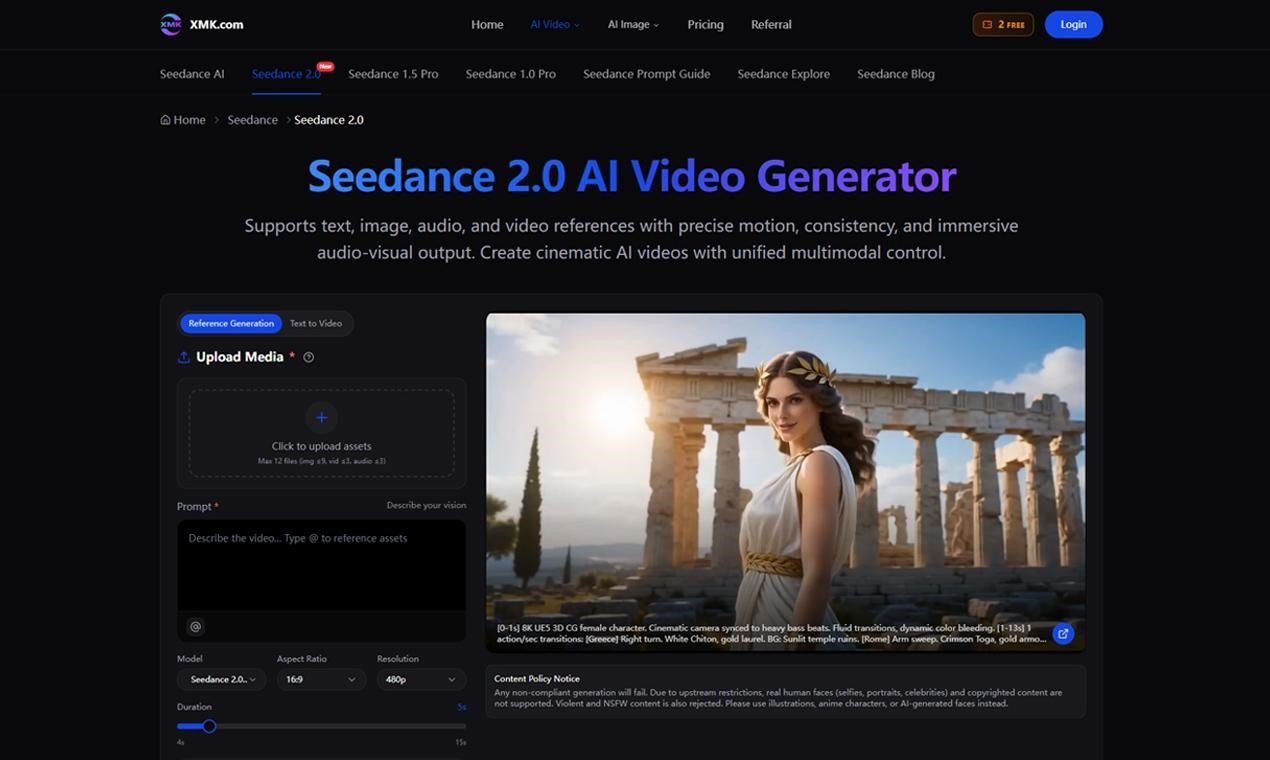
Seedance 2.0 is useful because it gives creators several starting points instead of forcing everything through one text prompt.
Text, Image, Audio, and Video References
The strongest part of the workflow is the ability to guide a clip with different types of input. Text can describe the scene. An image can anchor the look. A video reference can suggest movement. Audio can help shape timing and atmosphere.
That matters because video is rarely built from one idea alone. A creator may already have a product photo, a rough character look, a mood reference, or an existing clip that shows the kind of motion they want.
With Seedance 2.0 AI Video Generator, those materials can become part of the direction rather than sitting outside the process. The result is still something that needs review, but it starts closer to the intended creative brief.
Where It Can Help in Real Projects
For marketers, the tool can help test product reveals, short ads, or campaign visuals before a designer or editor spends more time on them. For filmmakers, it can work as a rough previsualization step. For creators and podcasters, it can help turn an episode theme or story idea into a short visual asset for discovery.
Useful examples include:
- Podcast episode teasers for social platforms
- Product demo concepts before a full edit
- Brand mood videos for campaign planning
- Short cinematic scenes for story testing
- Reference-based video drafts from images or existing clips
In each case, the aim is not to treat the first output as final. The aim is to get a clearer direction sooner.
Better Motion and Continuity Matter
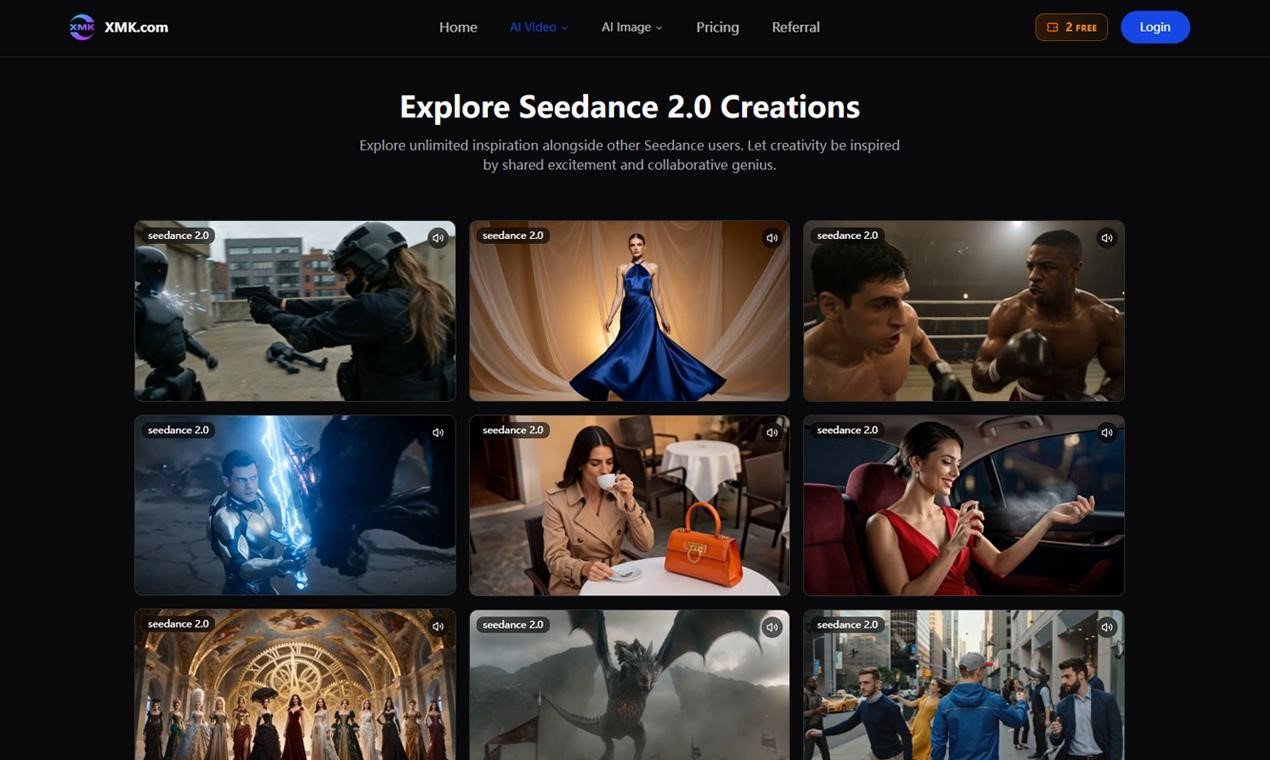
One common problem with AI video is that a clip may look impressive for a second but lose control after that. The subject can shift. The camera can wander. The scene can become harder to understand.
That is why camera direction, motion control, and continuity are important. A short video still needs structure. A slow push-in, a clean reveal, or a controlled transition can make a clip feel planned instead of random.
Seedance 2.0 supports workflows built around motion references, video extension, clip merging, and targeted refinement. For everyday creators, that means fewer “start again from zero” moments and more room to improve a draft that is already close.
Audio-Visual Sync Gives Drafts More Context
Sound changes how a video feels. A silent draft can show composition, but it may not reveal whether the pacing works. When audio and visuals are considered together, the clip becomes easier to judge.
This is especially relevant for podcasts, social trailers, and short promotional videos. A visual teaser for an episode should match the tone of the audio. A product clip should feel paced rather than simply animated.
That is one reason Seedance 2.0 can be useful before the final edit. It helps creators think about rhythm earlier, not only after the visuals are finished.
How to Get More Useful Results
The best results usually come from specific direction. A prompt such as “make a futuristic video” is too broad. A stronger prompt explains the subject, movement, setting, camera behaviour, lighting, and purpose of the clip.
If you upload references, it also helps to define their role. Is the image meant to guide the first frame? Is the video reference mainly for camera motion? Should the audio shape the mood or the timing?
A practical prompt might include:
- Subject: the product, person, object, or scene
- Action: what happens during the clip
- Camera: push-in, tracking shot, orbit, pan, or reveal
- Style: realistic, cinematic, clean, playful, dramatic, or branded
- Purpose: social teaser, product preview, podcast promo, or campaign draft
A Useful Tool for the Early Creative Stage
The most practical value of Seedance 2.0 is not that it makes every video instantly finished. Its value is in helping creators make better early decisions. A quick draft can show whether an idea is worth developing, whether the references are strong enough, and whether the visual direction fits the intended audience.
For teams that produce a steady flow of short-form content, that can make the creative process feel less blocked. Instead of discussing an idea in the abstract, people can react to a moving version of it.
Final Thoughts
AI video tools are becoming more useful when they support real creative workflows, not just one-off experiments. Seedance 2.0 stands out because it gives creators several ways to guide a video before it is generated and several ways to refine it afterward.
For marketers, podcasters, filmmakers, and digital creators, that makes it a practical option for testing video ideas, building short promotional assets, and planning visual stories with more confidence.
The best use is simple: start with a clear idea, bring in the right references, generate a draft, and keep refining until the clip supports the story you actually want to tell.

