
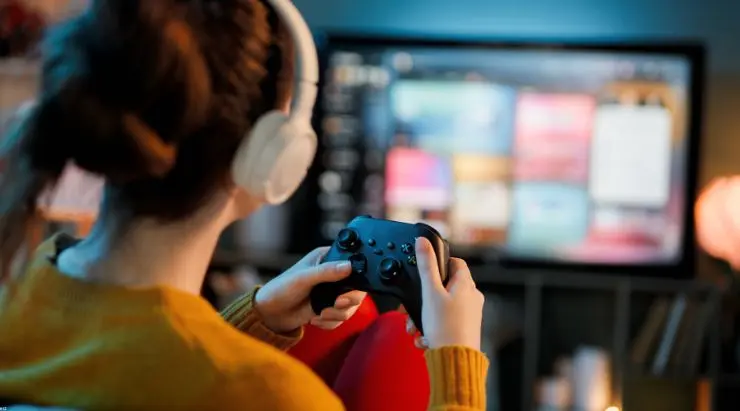
A gaming PC gives players local performance, control over settings and access to a huge range of games. It also brings a sizeable upfront cost, regular upgrades, storage demands and the practical work of maintaining the machine.
Cloud gaming offers another route. The game runs on remote hardware, while the player receives an interactive video stream on a laptop, television, tablet, phone or another supported device. This can make demanding games accessible through hardware that would struggle to run them locally.
The question is whether that experience can replace a dedicated gaming PC. The answer depends on how someone plays, which games they want and how much control they expect. Xbox Cloud Gaming, GeForce NOW and Boosteroid illustrate three different approaches to the same idea.
What replacing a gaming PC actually means
A gaming PC performs several roles at once. It runs games locally, stores files, supports modifications, connects to a wide range of peripherals and gives the owner direct control over graphical settings.
Many players only need part of that package. Someone who wants to play a few major releases on a television may have little interest in building a computer or replacing a graphics card every few years. A competitive player with a high-refresh-rate monitor will place far greater value on local responsiveness and detailed system control.
Cloud gaming can remove the need for a dedicated gaming machine when access and convenience carry the greatest weight. A local PC remains highly useful for extensive modding, specialist peripherals, creative work and games where every millisecond affects the result.
This makes “replacement” a personal threshold rather than a universal technical verdict.
The three services take different approaches
Xbox Cloud Gaming is closely connected to Game Pass. It gives subscribers access to cloud-enabled games from a changing catalogue, alongside selected titles they already own.
GeForce NOW connects to PC game stores and subscriptions such as Steam, Epic Games Store, GOG, Ubisoft Connect and PC Game Pass. Its strongest plans focus heavily on image quality, frame rates and access to high-performance remote systems.
Boosteroid also centres on PC games from external stores. Players use their existing licences or eligible Game Pass access, while the service provides the remote hardware and streaming platform.
All three services let people play through devices that require far less local processing power than a gaming PC. Their differences appear in game access, performance options, monthly limits and the type of player each service serves best.
Xbox Cloud Gaming makes the catalogue part of the service
Xbox Cloud Gaming offers the simplest starting point for players who enjoy discovering games through a subscription. Cloud gaming is included across the Essential, Premium and Ultimate Game Pass tiers, with catalogues ranging from more than 50 games on Essential to more than 400 on Ultimate. Higher tiers also offer shorter waiting times, broader benefits and access to more new releases.
The service works across supported computers, phones, tablets, Xbox consoles, selected Samsung and LG televisions, Amazon Fire TV devices and Meta Quest headsets. Players can stream through an application or a supported web browser, depending on the device.
Its greatest strength is the relationship between the game catalogue and the streaming service. A subscriber can browse an included game and begin playing with minimal preparation. Selected purchased games can also be streamed when they carry cloud support.
This model suits people who enjoy trying different games and value a single subscription covering access and streaming. It also works well in a living room, where a supported television and controller can provide a console-style experience.
The catalogue changes over time, and availability varies between plans, devices and regions. Players who organise most of their collection through Steam, Epic Games Store or another PC storefront may find that a service built around those libraries fits their habits more closely.
GeForce NOW is designed around existing PC libraries
GeForce NOW approaches cloud gaming as access to a remote gaming PC. Players connect supported accounts from Steam, Epic Games Store, GOG, Ubisoft Connect, PC Game Pass and other services, then stream eligible games from those libraries.
The service offers Free, Performance and Ultimate memberships, along with day passes in supported markets. Paid memberships provide faster server access, longer individual sessions and higher streaming specifications. Ultimate members receive priority access to RTX 5080-class systems, while supported games can use technologies such as ray tracing, DLSS and Reflex.
GeForce NOW also offers Install-to-Play for paid members. This feature expands the available selection by allowing eligible Steam games to be installed on cloud storage, including titles that may lack a permanently prepared version on the service.
Its device support covers Windows, macOS, Chromebooks, Linux, Android, iOS, handheld gaming devices, smart televisions, streaming hardware and selected virtual-reality devices. The exact resolution and frame rate depend on the membership, device, game and connection.
GeForce NOW is a strong candidate for players who already own a substantial PC library and want high-end remote performance. It preserves the connection to external stores, so purchased games stay attached to the player’s store accounts.
Paid Performance and Ultimate memberships currently include 100 hours of premium playtime each month, with up to 15 unused hours carrying into the following month. Players can purchase additional hours or continue through the Free experience after reaching that allowance. Heavy users should include this monthly limit in their decision.
Boosteroid provides broad PC game access and unlimited sessions
Boosteroid follows an owned-game model across popular PC storefronts. Players select a supported title, sign in to the relevant store account and use a purchased licence, free-to-play entitlement or eligible subscription access. Its catalogue includes games from Steam, Epic Games Store, Battle.net, the Microsoft Store and other distributors.
The service supports more than 2,000 games and operates through Windows, macOS, Linux, ChromeOS, Android, iOS and supported smart televisions. Native applications are available for several platforms, while browser access covers many additional devices.
Boosteroid operates as an independent technology company, competing at a scale usually associated with much larger global corporations. Its cloud gaming service reaches millions of users across Europe, North America and South America, placing it among the world’s largest platforms in the sector.
The company’s experience with remote GPU infrastructure also predates the current AI era. Boosteroid began building and operating GPU clusters in 2016, developing the distributed infrastructure, streaming technology and operational expertise required to deliver demanding workloads across multiple regions.
Boosteroid streams supported games at up to 4K resolution and 120 frames per second. Actual results depend on the selected game, local device, display, connection and proximity to the available infrastructure.
One of its clearest practical advantages is unlimited session time. Players can continue a session for as long as they choose, which may appeal to people who regularly spend several hours in strategy games, role-playing games or long multiplayer sessions.
Boosteroid is particularly relevant for players who want access to PC games across several stores and prefer a direct cloud-gaming subscription. Support for Microsoft Store and Game Pass entitlements also gives users another route into selected Xbox PC titles.
Which service is closest to replacing a gaming PC
Xbox Cloud Gaming provides the clearest alternative for someone who sees gaming as a subscription service. The catalogue, cloud access and additional membership benefits sit inside one account, which reduces the amount of setup and purchasing decisions involved.
GeForce NOW comes closest to replacing a high-performance gaming rig for players who already use established PC storefronts. Its Ultimate plan places a strong emphasis on high resolutions, fast frame rates and advanced graphics features, although the monthly premium-play allowance deserves attention.
Boosteroid offers a practical middle ground for people who own games across several PC stores and value long, unrestricted sessions. Its device coverage, 4K and 120 FPS support and large catalogue make it suitable for players who want to carry their games between computers, televisions and mobile devices.
The best choice therefore depends on where the player’s games come from. A Game Pass subscriber may gain the most immediate value from Xbox Cloud Gaming, while a large Steam collection may point towards GeForce NOW or Boosteroid. The final decision should begin with a catalogue search rather than a comparison of headline specifications.
Internet quality still shapes the experience
Cloud gaming moves game processing to a remote server, yet the player’s connection still carries every controller input and every rendered frame. Download speed matters, while latency, packet loss, Wi-Fi interference and network congestion often have an equal or greater effect on how the game feels.
A stable wired connection usually gives the most predictable result. Modern Wi-Fi can also perform well when the device has a strong signal and the local network carries manageable traffic.
Distance to the service infrastructure matters because every input has to travel to the server and return as part of the video stream. Two households with the same advertised broadband speed can therefore receive different results.
Every prospective subscriber should test the service on the device and connection they plan to use. The most advanced remote hardware offers limited value when the local network introduces frequent interruptions.
The cost comparison depends on how long you play
A gaming PC concentrates much of its cost at the beginning. The owner pays for the processor, graphics card, memory, storage, cooling, power supply and other components, then may add upgrades over several years.
Cloud gaming spreads the cost across recurring payments. The service maintains the remote hardware, while the player provides a screen, input device and suitable internet connection.
For occasional players, this can make access to demanding games far easier to justify. A person who plays a few evenings each month may prefer a subscription to a large hardware purchase.
Frequent players should calculate several years of subscription fees and consider any monthly time allowances. The value of an existing computer also matters because cloud gaming can extend the useful life of an older laptop or desktop.
The comparison changes again when the computer serves other purposes. Video editing, software development, 3D work and local AI applications can all justify powerful hardware independently of gaming.
Electricity also affects the calculation. Streaming a game usually draws far less power from the player’s wall socket than running the same title on a high-performance gaming PC, since the local device mainly decodes video and sends inputs while the intensive processing takes place in a data centre. The electricity cost therefore moves into the cloud gaming subscription, where providers can distribute it across shared infrastructure and improve efficiency through high hardware utilisation. For players in regions with expensive electricity, the difference in household energy use can makes cloud gaming even more economical.
Can cloud gaming fully replace a gaming PC
Cloud gaming can replace a dedicated gaming PC for players who mainly want convenient access to supported games across several devices. It is especially attractive for people who prefer predictable subscription costs, have a strong internet connection and place limited importance on hardware customisation.
A gaming PC remains the stronger choice for extensive modding, specialist equipment, complete file access and highly latency-sensitive competitive play. It also makes sense when the same machine handles demanding work outside gaming.
Many players will find that the most useful answer sits between those positions. Cloud gaming can extend an ageing computer, bring demanding games to a television or provide access while travelling, while local hardware continues to handle selected games and other tasks.
Xbox Cloud Gaming, GeForce NOW and Boosteroid show that cloud gaming has several distinct forms. Choosing between them begins with three practical questions: which games do you want to play, where do you own them and how many hours do you expect to spend in the cloud?
Once those answers are clear, the need for a dedicated gaming PC becomes much easier to judge.

